A real test video
Unedited 5-second 480p test (garden arch) made from two photos of AI-generated characters (not real people), with the original instrumental. Results vary with your photos; your free preview carries a small watermark. Full videos start at $6.99 — one-time payment, no subscription.
From photos to video: real examples
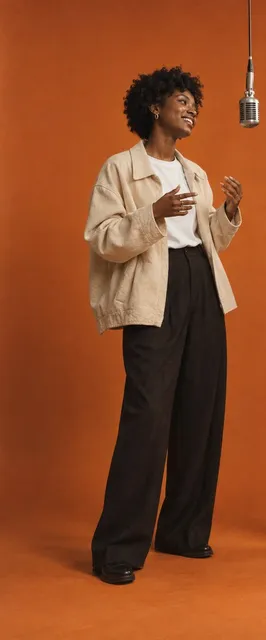
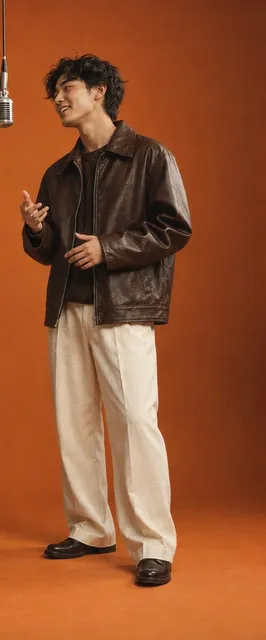
A wedding invitation video with your faces, not a template couple
Search “wedding invitation video” and you get Pinterest boards and Canva templates: lovely fonts, stock florals, a silhouette couple — and hours of dragging your own clips into place. Your guests already know what a template looks like.
This makes the part a template can't: the two of you, on camera, together, without a videographer or a pre-wedding shoot. Two photos in, a short romantic clip out. Then you put your names and date on top in a minute — or send it as is with the details in the message.
Pick your setting
| Setting | What happens | Good for |
|---|---|---|
| Garden arch (default) | Hand in hand under a white floral arch, petals falling | Garden, church and classic weddings |
| Beach at sunset | Barefoot at the waterline in golden light | Beach and destination weddings |
| Candlelit ballroom | Chandeliers, candles, a slow dance step | Evening and black-tie receptions |
| City rooftop at night | String lights and a soft skyline | City and modern weddings, engagement announcements |
Every setting keeps the top third of the frame calm and uncluttered — that's where your text goes.
How to add your names and date (3 steps)
The video has no text burned in, so nothing is misspelled and you can reuse it for the save the date, the invitation and the countdown.
- Download the MP4 from your order page.
- Add text on top — in CapCut (Text → add, place it in the top third), in Canva (upload the video, drop it into a 9:16 design, add text), or straight in WhatsApp or Instagram Stories with the Aa text tool.
- Send it — WhatsApp chat or status, Instagram, iMessage, or embed it on your wedding website.
Wording that fits the space:
- Save the date · Anna & James · 14.06.2027 · Lisbon
- We're getting married! · Priya & Rohan · 12 December 2026
- Together with their families · Maria & Leo · invite you · Saturday, 5 September 2026
How to make it
- Upload one clear photo of each of you — waist up, face visible, good light. Photo 1 stands on the left, photo 2 on the right.
- Pick a setting: garden arch, beach, ballroom or rooftop.
- Create the free 5-second preview (480p, watermarked, one per person) and check both faces. Full videos start at $6.99 — one-time payment, no subscription.
- Like it? Make the 10- or 15-second 720p version — same photos, nothing to upload again. At 15 seconds you also get the twirl.
What you get
| Free preview | Full video | |
|---|---|---|
| Length | 5 s | 10 or 15 s |
| Quality | 480p, watermark | 720p, no watermark |
| Format | 9:16 vertical MP4 | 9:16 vertical MP4 |
| Sound | Original romantic piano and strings, no lyrics | Same |
| What happens | The walk hand in hand | Walk, forehead touch, (15 s) the twirl, falling petals |
Wedding invitation video: duet.room vs Canva, Pinterest and AI animators
| Canva templates | Pinterest ideas | Photo-animation sites | duet.room | |
|---|---|---|---|---|
| The couple on screen | Stock art or your own clips | Other people's videos | Your photo, gently moving | You two, walking and twirling together |
| What you need | Your own footage + editing | Inspiration only | One photo | Two photos |
| Text (names, date) | Built in, you edit it | — | Usually none | Added by you in 1 minute (steps above) |
| Time to a first result | 20–60 min | — | A few minutes | A few minutes, free preview first Full videos start at $6.99 — one-time payment, no subscription. |
| Cost | Free / Pro subscription | Free | Often a subscription | Free preview, then $6.99 per video, one-time Full videos start at $6.99 — one-time payment, no subscription. |
The best result is often both: make the clip of the two of you here, then add the lettering in Canva or CapCut.
Photos and consent
Only upload photos of yourselves — both of you should agree. Don't upload photos of celebrities or children. The settings, petals and music are original; there are no logos, text or real venues in the video.
Also called
“wedding invitation video” · “wedding invitation video maker” · “save the date video” · “ai wedding invitation video” · “wedding invitation video for whatsapp” · “digital wedding invitation video” · “wedding invite video” · “couple wedding invitation video”
Questions people ask
How do I make a wedding invitation video from photos?+
Upload one photo of each of you, pick a setting (garden, beach, ballroom or rooftop) and create the free 5-second preview. Like it? Make the 10- or 15-second version, download the MP4 and add your names and date on top. Full videos start at $6.99 — one-time payment, no subscription.
How long is the wedding invitation video?+
The free preview is 5 seconds (480p, watermarked, one per person). Full videos are 10 or 15 seconds at 720p — the right length for a WhatsApp status or an Instagram story. Full videos start at $6.99 — one-time payment, no subscription.
Can I send it on WhatsApp?+
Yes. It's a 9:16 vertical MP4, which WhatsApp plays inline in chats and status. Send it as a video (not as a document) for an inline preview; add the details in the message or with WhatsApp's text tool.
Does the video include our names and wedding date?+
No text is burned in, so nothing can be misspelled. Add your names, date and venue in CapCut, Canva, Instagram or WhatsApp in about a minute — the top of the frame is left calm for it.
What format is it — can I put it on our wedding website?+
An MP4 (H.264) in 9:16. It plays on phones, in browsers and on wedding website builders that accept video uploads.
Can I use it as a save the date?+
Yes — it's the same clip. Write “Save the date” and the date on top for the first message, then reuse it with the full details for the invitation.
Is the music copyrighted?+
No. Every video gets an original romantic instrumental (piano and strings, no lyrics). You can also replace it with your song in CapCut or Instagram.
How much does it cost?+
Your first 5-second preview is free — no account or card needed (one per person; sign in with Google to keep it on your account). One full 15-second video is $6.99, or $19.90 for 3 and $29.90 for 5 — one-time payments, no subscription. A 10-second video costs 35 of a full video's 50 credits. If a video fails our checks, it comes back. Full videos start at $6.99 — one-time payment, no subscription.
Bring your own two people
Free 5-second preview · original audio · $6.99 per video · no subscription
Start with a free previewMake your video