How to make a Hotel Lobby AI video that actually looks like you.
The “Hotel Lobby” trend is two people performing in a warm orange studio under one hanging microphone. Here's how to make your own version with two photos — with real, unedited outputs and the mistakes we've seen.
1. Pick one photo per person
- One person per photo, face clearly visible, looking roughly at the camera.
- Full body or at least waist-up works best — the model has to invent less.
- Good light, no sunglasses, no heavy filters. Outfits carry over, so wear what you want to see.
- At least 256 px on the short side; JPG, PNG or WebP up to 10 MB.
- Only use photos of adults who agreed to appear.
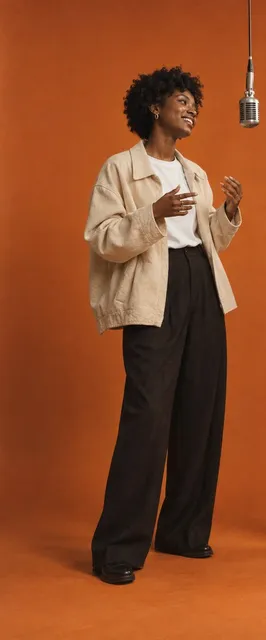
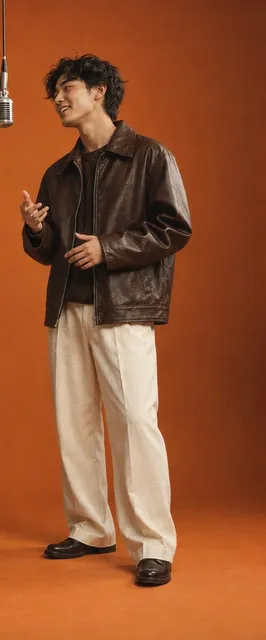
The two inputs used for every example below — original AI-generated characters, not real people.
2. Decide who stands left and right
The person in the left slot stays on the left for the whole video. In our tests the model kept both sides correct in every clip, so choose carefully — swapping afterwards means a new video.
3. Start with the free preview
A 5-second, 480p preview (watermarked) shows whether both faces come through before you spend credits. If you like it, you can turn the same photos into a 10- or 15-second 720p video without uploading again.
4. What can go wrong (real failures)
Every video goes through automatic checks (length, size, audio, no black frames) and, during our trial, a person watches it before it's delivered. If it fails, your credits come back automatically.
5. About the music
Videos use an original score. They do not include the Migos recording, and duet.room isn't affiliated with the artists or the original video.
Try it with your own two photos
Free 5-second preview · no subscription
Open the Hotel Lobby AI video generator